Why Version Control Exists: The Pendrive Problem
Why Version Control Exists:
Why Version Control Exists
Version control exists to manage changes to code (or any files) over time in a safe, organized, and collaborative way.
Before version control, developers faced many problems. Version control was created to solve those problems.
1. To Track Changes Over Time
Version control keeps a history of every change made to a project.
Who made the change
What was changed
When it was changed
Why it was changed (commit message)
This allows developers to understand how a project evolved.
2. To Avoid Data Loss
Without version control:
- A deleted or overwritten file could be lost forever ❌
With version control:
You can restore older versions anytime ✅
Mistakes are reversible
3. To Work Safely with Experiments
Developers often try new ideas that may fail.
Version control allows:
Creating branches to experiment safely
Merging successful changes
Discarding failed attempts without affecting main code
4. To Enable Team Collaboration
In real projects, multiple developers work on the same codebase.
Version control helps:
Multiple people work simultaneously
Prevents overwriting each other’s work
Resolves conflicts in a controlled way
5. To Maintain Code Quality
Version control supports:
Code reviews
Rollbacks if a bug is introduced
Stable production releases
This keeps the project reliable and professional.
6. To Create a Reliable Backup System
Every repository acts like a distributed backup.
If a system crashes:
- Code still exists on other machines or remote servers
7. To Support Professional Development Workflows
Modern development relies on version control for:
CI/CD pipelines
Issue tracking
Release management
Open-source contributions
Without version control, modern software development is impossible.
The Pendrive Analogy in Software Development:
The Pendrive Analogy in Software Development
Before version control systems like Git, developers shared code using pendrives, emails, and folders. This method perfectly explains why version control became necessary.
How Development Worked Earlier
Imagine a team working on a project called
website.File Sharing Methods
Copy project to a pendrive
Send code via email
Share folders over local network
Common Folder Names 😅
    website/
    ├── final/
    ├── final_v2/
    ├── final_latest/
    ├── final_latest_fixed/
    ├── final_latest_fixed_real/
Each folder was someone’s attempt to preserve changes.
Problems with the Pendrive Method
1. Code Overwriting
Developer A updates the project
Developer B makes changes on an older copy
When merged → A’s work gets overwritten
❌ No protection
❌ No warning
❌ No recovery
2. Lost Changes
Pendrive corrupted
File deleted accidentally
Wrong folder copied
3. No Collaboration History
No record of:
Who changed what
When the change happened
Why it was done
4. No Parallel Work
Only one person can safely work at a time
Others must wait for the pendrive or email reply
This slows down development badly.
5. No Way to Roll Back
If new code breaks the project:
No easy way to go back to a stable version
Developers copy files manually and pray 🙏
How Version Control (Git) Fixed This
| Pendrive Method ❌ | Git Method ✅ |
| Manual file copy | Automatic tracking |
| Overwritten code | Conflict detection |
| No history | Full commit history |
| Single-user work | Team collaboration |
| No rollback | Easy revert |
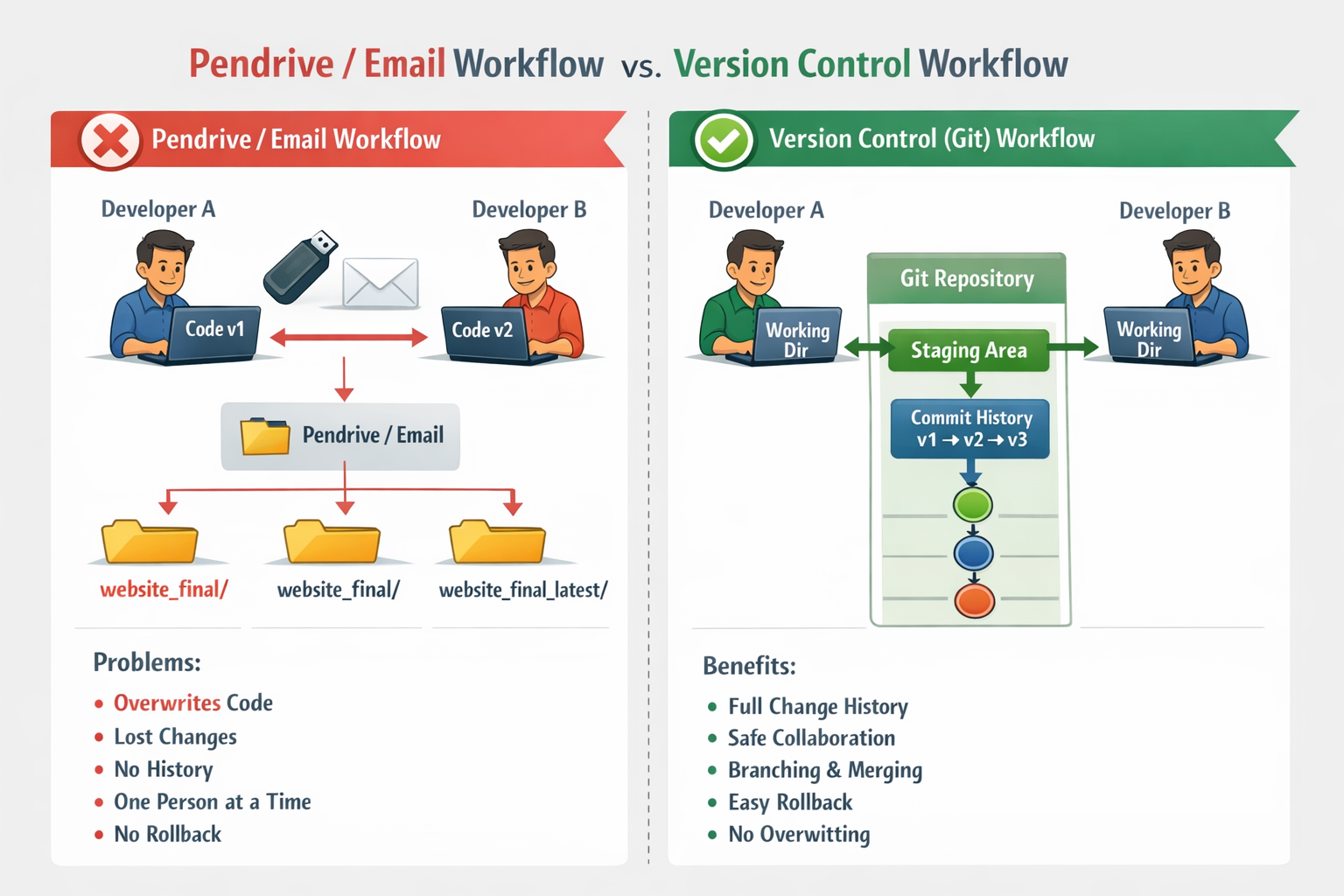
Problems Faced Before Version Control Systems
Problems Faced Before Version Control Systems
Before tools like Git, SVN, or Mercurial, developers managed code manually using pendrives, emails, and shared folders. This created many serious problems.
1. Code Overwriting
Multiple developers worked on the same files.
One person’s changes replaced another’s work
No warning before overwrite
Latest copy ≠ correct copy
❌ Work lost instantly
2. No Change History
There was no record of:
Who made a change
What was changed
When or why it was changed
3. No Rollback Option
When new code caused bugs:
Developers couldn’t revert safely
Manual copying of old folders was required
❌ Error-prone and stressful
4. Lost Work & Data Corruption
Pendrive failure
Accidental deletion
System crash
👉 Days of work could vanish with no backup.
5. No Parallel Development
Only one developer could work safely at a time
Others had to wait for the “latest version”
❌ Slow development
❌ Low productivity
6. Confusing File Versions
Folders like:
    final/
    final_v2/
    final_latest/
    final_latest_fixed/
Nobody knew:
Which version was stable
Which version was deployed
7. No Collaboration or Review Process
No code reviews
No approvals
No structured teamwork
Everything depended on trust and luck.
8. Difficult Bug Tracking
When a bug appeared:
No way to identify which change caused it
Fixing bugs took more time than writing code